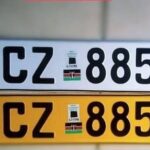



In Kenya, the second-hand vehicle market thrives due to its affordability and variety, catering to middle-income households, small businesses, and first-time car owners. According to the Kenya Ports Authority, over 62,000 vehicles were imported into Kenya in the 12 months leading to June 2023, with second-hand cars dominating the market. To legally operate these vehicles on Kenyan roads, registration through the National Transport and Safety Authority (NTSA) is mandatory. The process, streamlined through the eCitizen platform, ensures transparency and compliance with regulations set by the NTSA and the Kenya Revenue Authority (KRA).
This comprehensive guide walks you through the step-by-step process of registering a second-hand vehicle in Kenya in 2025, including required documents, charges, timelines, and expert tips to avoid delays. Whether you’re a buyer, seller, or car dealer, this article provides everything you need to know to navigate the NTSA second-hand vehicle registration process seamlessly.
Why Register a Second-Hand Vehicle with NTSA?
Registering a second-hand vehicle with the NTSA is a legal requirement under Kenyan law to ensure road safety, verify ownership, and comply with tax obligations. The process confirms that the vehicle meets safety standards, has cleared customs, and is legally owned by the applicant. The NTSA’s integration with the eCitizen platform, as mandated by President William Ruto, enhances accountability and simplifies access to government services.
Key reasons to register your second-hand vehicle include:
- Legal Compliance: Ensures the vehicle is roadworthy and meets NTSA safety standards.
- Ownership Verification: Updates the logbook to reflect the new owner, preventing legal disputes.
- Tax Compliance: Aligns with KRA requirements for import duties and taxes.
- Transparency: The eCitizen platform reduces reliance on brokers, minimizing fraud risks.
With the digital transformation of NTSA services, registering a second-hand vehicle is now faster and more accessible, taking as little as three working days for number plates and logbooks. Let’s dive into the step-by-step process.
Step-by-Step Guide to NTSA Second-Hand Vehicle Registration
The NTSA second-hand vehicle registration process is conducted entirely online via the eCitizen platform, specifically through the NTSA service portal. Below is a detailed breakdown of each step to ensure a smooth application.
Step 1: Log In to Your eCitizen Account
To begin, visit the NTSA service portal at serviceportal.ntsa.go.ke, which redirects to the eCitizen platform. You’ll need an active eCitizen account to proceed.
- Create an Account: If you don’t have an eCitizen account, register using your National ID number, email, and phone number. Verify your account via a two-factor authentication (2FA) code sent to your email or phone.
- Log In: Use your ID number and password to access the eCitizen dashboard. Ensure SMS notifications are enabled for security verification.
Tip: If you’re a frequent user, download the NTSA app from the Google Play Store for easier access to services and updates.
Step 2: Access the NTSA Service Portal
Once logged in, navigate to the NTSA service portal (new) on the eCitizen dashboard.
- Select National Transport and Safety Authority (NTSA) under the agencies section.
- Switch to the appropriate account type if you’re registering as an individual, company, or motor vehicle dealer. For dealers, select the “Motor Vehicle Dealer” option to access relevant services.
Step 3: Select Second-Hand Vehicle Registration
On the NTSA portal dashboard, locate the “Services” tab.
- Click on Services and choose Second-Hand Vehicle Registration from the dropdown menu.
- This opens a registration form divided into four sections: General Information, Owners, Collection, and Attachments.
Step 4: Fill in General Information
The General Information section requires details about the vehicle’s location and specifications.
- Location Details: Specify the county and sub-county where the vehicle will be registered.
- Vehicle Details: Provide the following:
- Condition of the vehicle (e.g., used)
- Make and model
- Customs entry number
- Chassis number
- Body type (e.g., sedan, SUV)
- Fuel type (e.g., petrol, diesel)
- Transmission type (e.g., manual, automatic)
- Driver side (left or right)
- Engine rating (cc)
- Tare weight
- Year of manufacture
- Number of axles
- Number plate (if applicable)
- Border point and customs office
- Customs value and vehicle use (e.g., private, commercial)
Click Next to proceed to the next section.
Step 5: Enter Ownership Details
This section captures the owner’s information and any additional parties, such as financiers for jointly owned vehicles.
- Individual Ownership: Enter your National ID number and KRA PIN.
- Company/Financial Institution: Provide the company’s KRA PIN or Certificate of Incorporation.
- Joint Ownership: If the vehicle is co-owned or financed, add the financier’s details.
- Verify your details using the SMS code sent to your registered mobile number.
Step 6: Specify Collection Details
Indicate where and by whom the logbook and number plates will be collected.
- Collection Office: Choose the NTSA office or authorized counter for collection.
- Authorized Person: Provide the name and ID number of the person collecting the documents. This can be yourself or a designated representative.
Note: Ensure the authorized person carries a valid ID when collecting the documents to avoid delays.
Step 7: Attach Required Documents
All importation documents must be compiled into a single PDF file for upload. Required documents typically include:
- Proof of Ownership: Purchase receipt or sale agreement.
- Customs Documents: Import declaration form, bill of lading, and export certificate.
- Pre-Shipment Inspection Certificate: Confirms the vehicle’s roadworthiness.
- National ID and KRA PIN: Copies for both buyer and seller (if applicable).
- Valid Insurance Cover: Proof of third-party insurance.
- Logbook (if applicable): For locally used vehicles, upload a scanned copy of the original logbook in PDF format.
Tip: Double-check that all documents are clear and legible to avoid rejection. Use a scanner or high-quality camera for uploads.
Step 8: Submit and Pay for the E-Sticker
After uploading documents, review all entered details and click Submit. You’ll be prompted to pay the required fees.
- Inspection and E-Sticker Fee: KSh 1,750 (covers vehicle inspection and electronic sticker issuance).
- Payment Method: Use M-Pesa, credit/debit card, or other mobile money services available on the eCitizen platform.
Once payment is confirmed, click Complete to finalize your application. You’ll receive a confirmation SMS and email with further instructions.
Step 9: Await Processing and Collection
The NTSA processes second-hand vehicle registration applications within three working days for both number plates and logbooks.
- Notification: You’ll receive an SMS or email when the logbook and number plates are ready for collection at the designated NTSA office.
- Collection: The authorized person must present a valid ID to collect the documents. Alternatively, NTSA may deliver the logbook via courier to your provided address.
NTSA Second-Hand Vehicle Registration Charges
The cost of registering a second-hand vehicle primarily involves the inspection and e-sticker fee, but additional charges may apply depending on the vehicle’s engine capacity, especially for ownership transfers. Below are the key charges:
- Inspection and E-Sticker: KSh 1,750 (fixed for all vehicles).
- Transfer Fees (if applicable): These vary based on engine capacity:
- Up to 1,000 cc: KSh 1,660
- 1,001–1,200 cc: KSh 1,890
- 1,201–1,500 cc: KSh 2,065
- Higher capacities incur additional fees; check the NTSA website for a full list.
Additional Costs:
- Customs Duties and Taxes: Paid to KRA based on the vehicle’s value and engine size.
- Insurance: Third-party insurance is mandatory and varies by provider.
- Cyber Fee: Some service providers, like Nikonet, charge a KSh 200 cyber fee for assisted registration.
Tip: Always verify fees on the official NTSA website (www.ntsa.go.ke) or eCitizen portal to avoid overcharges by brokers.
Timeline for NTSA Second-Hand Vehicle Registration
The NTSA has significantly reduced processing times through its digital platform. As of 2025, expect the following:
- Number Plates: Issued within 3 working days.
- Logbook: Issued within 3 working days.
Delays may occur if documents are incomplete or payment is not processed. To expedite the process, ensure all details are accurate and payments are made promptly.
Required Documents for Second-Hand Vehicle Registration
Proper documentation is critical to avoid application rejections. Below is a checklist of required documents:
- National ID and KRA PIN: For both buyer and seller (if applicable).
- Proof of Ownership: Sale agreement or purchase receipt, signed by both parties.
- Customs Documents: Bill of lading, export certificate, and import declaration form.
- Pre-Shipment Inspection Certificate: Required for imported vehicles.
- Valid Insurance Cover: Third-party insurance is mandatory.
- Original Logbook (for locally used vehicles): Scanned in PDF format.
- Letters of Administration or Will (if applicable): For inherited vehicles.
For ex-diplomatic or parastatal vehicles, additional documents like a letter from the relevant authority may be required.
Common Challenges and How to Avoid Them
While the NTSA’s digital platform has simplified registration, some challenges persist. Here’s how to address them:
- Incomplete Documents: Ensure all documents are compiled into a single PDF and meet NTSA requirements.
- Incorrect Details: Double-check vehicle and ownership details before submission to avoid rejections.
- Payment Issues: Confirm payment completion via M-Pesa or card to avoid processing delays.
- Broker Scams: Avoid unofficial agents charging inflated fees. Use the eCitizen platform directly or trusted services.
- System Glitches: If the portal is down, try again later or contact NTSA support via the app or email (info@ntsa.go.ke).
Transfer of Ownership for Second-Hand Vehicles
For locally used second-hand vehicles, a transfer of ownership is required within 14 days of purchase. The process is similar to registration but involves both the buyer and seller.
- Seller’s Role:
- Log in to the eCitizen account and select Vehicle Transfer under the NTSA portal.
- Upload the original logbook (PDF) and enter the buyer’s National ID and KRA PIN.
- Pay the transfer fee based on the vehicle’s engine capacity.
- Buyer’s Role:
- Receive an SMS notification and log in to accept or decline the transfer.
- Verify details, pay any outstanding fees, and select collection details.
The transfer process takes approximately three working days, after which a new logbook is issued in the buyer’s name.
Expert Tips for a Smooth Registration Process
- Conduct a Vehicle Search: Before purchasing, use the NTSA portal to verify the vehicle’s ownership and status for KSh 550.
- Ensure Roadworthiness: Schedule a vehicle inspection with NTSA to confirm compliance with safety standards.
- Check KRA Compliance: Verify that all customs duties and taxes are cleared to avoid delays.
- Use Trusted Agents: For complex cases, such as ex-diplomatic vehicles, consider reputable agents like Digitali Cyber Services.
- Stay Updated: Follow NTSA’s official social media or website for updates on fees, timelines, or portal changes.
Why the Second-Hand Vehicle Market Thrives in Kenya
Kenya’s second-hand vehicle market is driven by affordability, diverse options, and sustainability. Imported vehicles from Japan, the UK, and the UAE dominate due to their cost-effectiveness and availability of spare parts. The NTSA’s digital platform has further boosted the market by simplifying registration and reducing reliance on brokers, aligning with Kenya’s broader goal of digitizing public services.
Registering a second-hand vehicle in Kenya in 2025 is a straightforward process thanks to the NTSA’s integration with the eCitizen platform. By following the steps outlined—logging into eCitizen, selecting the NTSA portal, filling in vehicle and ownership details, uploading documents, and paying the KSh 1,750 fee—you can complete registration in just three working days. Ensure all documents are accurate, verify ownership, and stay informed about NTSA updates to avoid delays.